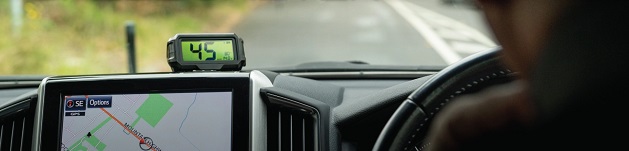

One of the most useful pieces of tech to make its way from fighter jets into everyday cars is the head-up display, and it’s changed the way a lot of drivers keep tabs on their vehicle. A head-up display, or HUD, projects key information such as speed, navigation directions and warnings onto a small screen or directly onto the windscreen, right in your line of sight. Instead of glancing down at the dash, you keep your eyes on the road while still taking in everything you need to know.
Types of Head-Up Displays
Combiner-Projected
A combiner-projected HUD uses a small, separate piece of transparent glass or plastic positioned above the dashboard rather than the windscreen itself. A combiner HUD speedometer for car helps keep installation simple, since there’s no need to work with the vehicle’s actual glass, while still giving you a clear, bright display.
Smartphone-Based
These units work by reflecting an image from your phone screen onto a small transparent panel mounted on the dash. As opposed to more advanced systems, smartphone-based HUDs are a budget-friendly option, though they do rely on your phone’s brightness and battery life to work properly.
Windscreen-Projected
Rather than using a separate panel, a windscreen-projected HUD beams the image directly onto the windscreen glass, which gives a larger and more immersive display area. This is the setup you’ll typically find in newer factory-fitted vehicles, as it blends more naturally into the cabin and doesn’t add any extra hardware to the dash. Windscreen-projected units generally cost more, though the seamless look is a big part of the appeal.
Features of a Head-Up Display
Speed
Every HUD, no matter the type or price point, will show your current speed front and centre, and this remains the most basic and most used feature across the board. Having your speed constantly in view helps keep you within the limit without needing to check the speedometer, which is especially useful on roads where speed cameras or changing zones are common.
Navigation
Beyond just showing an arrow, modern HUD units display distance to the next turn, estimated arrival time and even lane guidance on busier roads. This helps take a fair bit of the guesswork out of unfamiliar routes, as opposed to relying purely on audio directions, which can sometimes come a little too late to react comfortably.
Fuel
While it won’t show you when you have a clogged fuel injector, an HUD can show you how much juice you have left in your car. This is a small but genuinely useful feature, as keeping an eye on your fuel level without looking down helps you plan servo stops well before the tank runs low.
Media
Certain HUD models can also display media details such as the current song playing or an incoming call, which helps cut down on the need to glance at your phone or infotainment screen. This is a smaller feature compared to speed or navigation, though it still adds to overall convenience, especially on longer trips where music and calls come up often.
Advantages of a Head-Up Display
Convenience
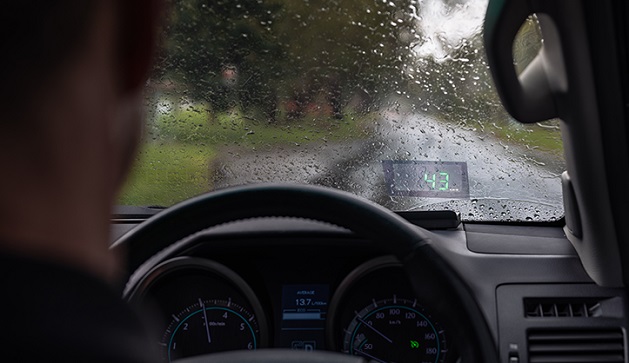
Having your speed, fuel level, and directions sitting right in front of you is more convenient than constantly checking the dashboard or a phone mounted on the windscreen. With an HUD, you get a clear readout without shifting your focus away from the road ahead, which makes long drives and daily commutes feel a fair bit easier to manage. This is especially handy in heavy traffic, where every second your eyes spend off the road counts for something.
Safety
Since your eyes stay forward rather than dropping to the dash, a HUD helps reduce the split-second lapses in attention that can lead to accidents. Typically, a driver looks away from the road for a second or two to check their speed, and while that doesn’t sound like much, it’s more than enough time for a situation ahead to change. A head-up display minimises that risk considerably, as the information you need is already sitting in your peripheral vision.
Modern
A HUD gives an older vehicle a much more modern feel, essentially bringing the cabin up to the standard you’d expect from a newer, higher-spec model. Rather than spending big on a full dash upgrade, adding a head-up display is quite an affordable way to bring your car’s interior into the present. This is why aftermarket HUD units have become such a popular addition for drivers who want that updated feel without the updated price tag.
Customisation
Most HUD units let you adjust the brightness, position and even which pieces of information get displayed, so you can set things up exactly how you like them. Since every driver has a slightly different seating position and preference for what they want to see, this level of customisation helps keep the display genuinely useful rather than just another gadget stuck to the dash. You can typically save these settings, so the display resets to your preference each time you start the car.